Pacing app: what to look for?
Pacing apps differ a lot in privacy, measurements, planning and cost. These criteria help you compare – and show openly how mypacing meets them.
The criteria at a glance
Which app suits you depends on what you need: a quick diary, values from your watch, planning ahead or all of it. The table sums up the key questions. The right-hand column only describes features that mypacing actually has.
| Criterion | What to look for | How mypacing does it |
|---|---|---|
| Privacy | Encryption, ads, sharing, tracking, deletion | encrypted storage, no ads, no sharing, no third-party tracking in the app, download and delete your data in the app |
| Wearable connection | Which routes exist and which values arrive | Apple Health (iPhone) or Health Connect (Android): steps, sleep, resting heart rate, HRV – if your watch passes them on |
| Works without a watch | Does the diary work without measurements? | yes, the check-in works without measurements; all entries are optional |
| Energy planning | Daily budget, breaks, planning ahead | day plan with energy points and your own budget, templates, break rhythm, rest moment |
| Looking back | History over weeks, comparing with yourself | history from 7 days to 1 year, usual range of the last four weeks, days with and without a tag |
| Export | Take your data with you or print it | JSON download of all data, CSV overview, PDF print view |
| Cost | Subscription, trial, ads | free, no ads |
| Language and use | Language, readability, read-aloud | German and English, light/dark, calm view, read-aloud |
| Platforms | Phone, tablet, browser | iPhone and iPad, Android, web app |
| Medical status | What the app promises – and what not | not a medical device; no diagnoses, recommendations or warnings |
| Trying it out | Test without signing up | demo with made-up values, no account |
Privacy: health data needs protection
Heart rate, sleep and how you feel are health data. Check whether an app stores them encrypted, shows ads or shares data, and whether you can download and delete your data yourself. Reading the privacy policy before signing up is worth it.
In mypacing, values, check-ins and notes are stored encrypted. There are no ads, no sharing or selling of data and no third-party tracking in the app. Downloading and deleting works directly in the app. For heart rate and sleep, mypacing asks for your explicit consent first. More in the privacy policy.
Wearable connection: which values arrive
Many apps do not read values directly from the watch but through the phone’s health store. What matters is whether your watch passes its values there and which values the app reads.
mypacing reads steps, sleep, resting heart rate and HRV from Apple Health on iPhone or Health Connect on Android – for example from Apple Watch, Garmin, Fitbit, Samsung, Oura or Withings, if those values arrive there. You allow each value separately. More in finding values in Apple Health and setting up Health Connect.

Diary and check-in: quick enough for bad days
A diary only helps if it is doable on hard days too. Check how many entries are required and whether the app works without a watch.
In the mypacing check-in all entries are optional: how you feel, sleep feeling, mental load, rest time and tags.
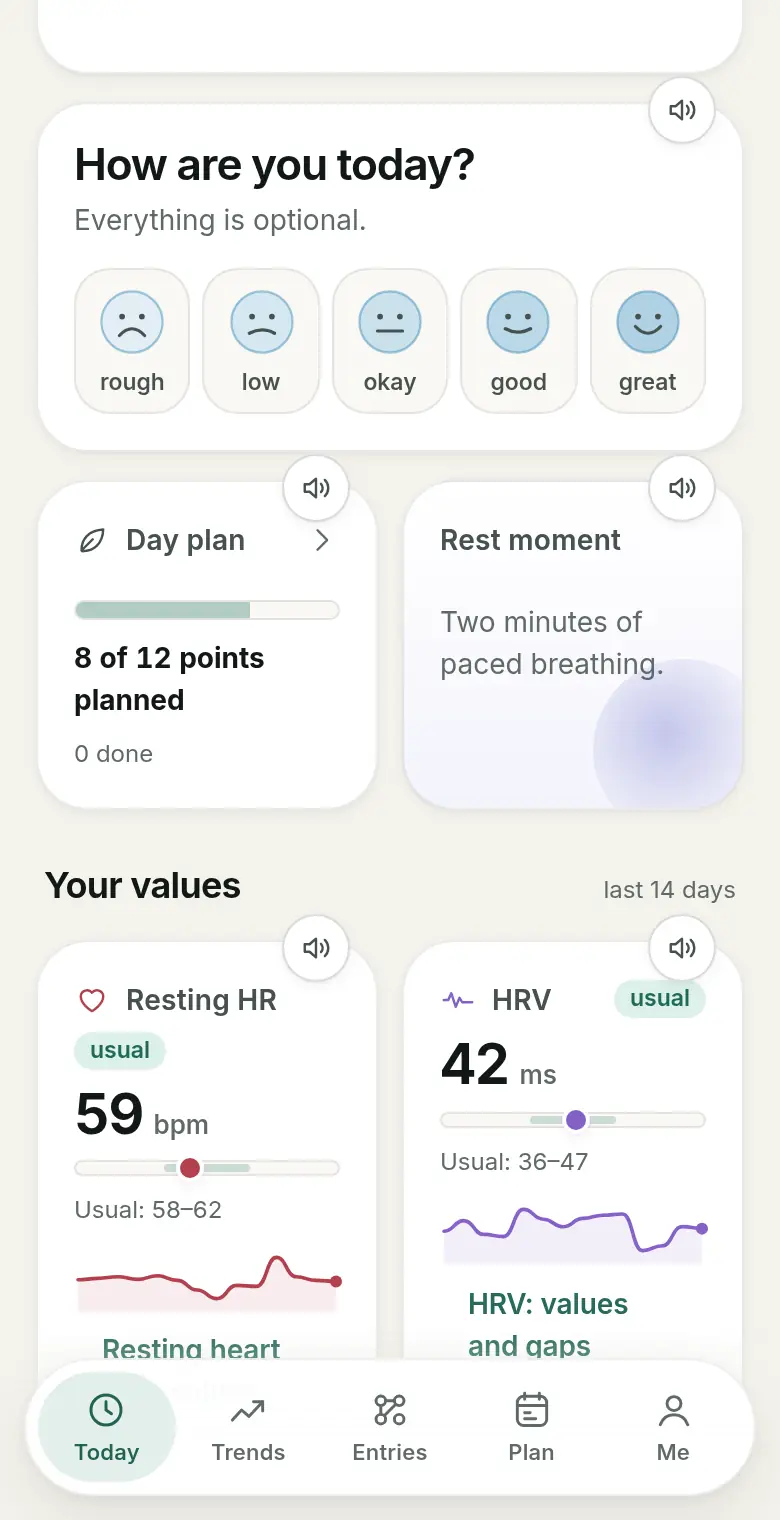
Energy planning: your day and breaks ahead
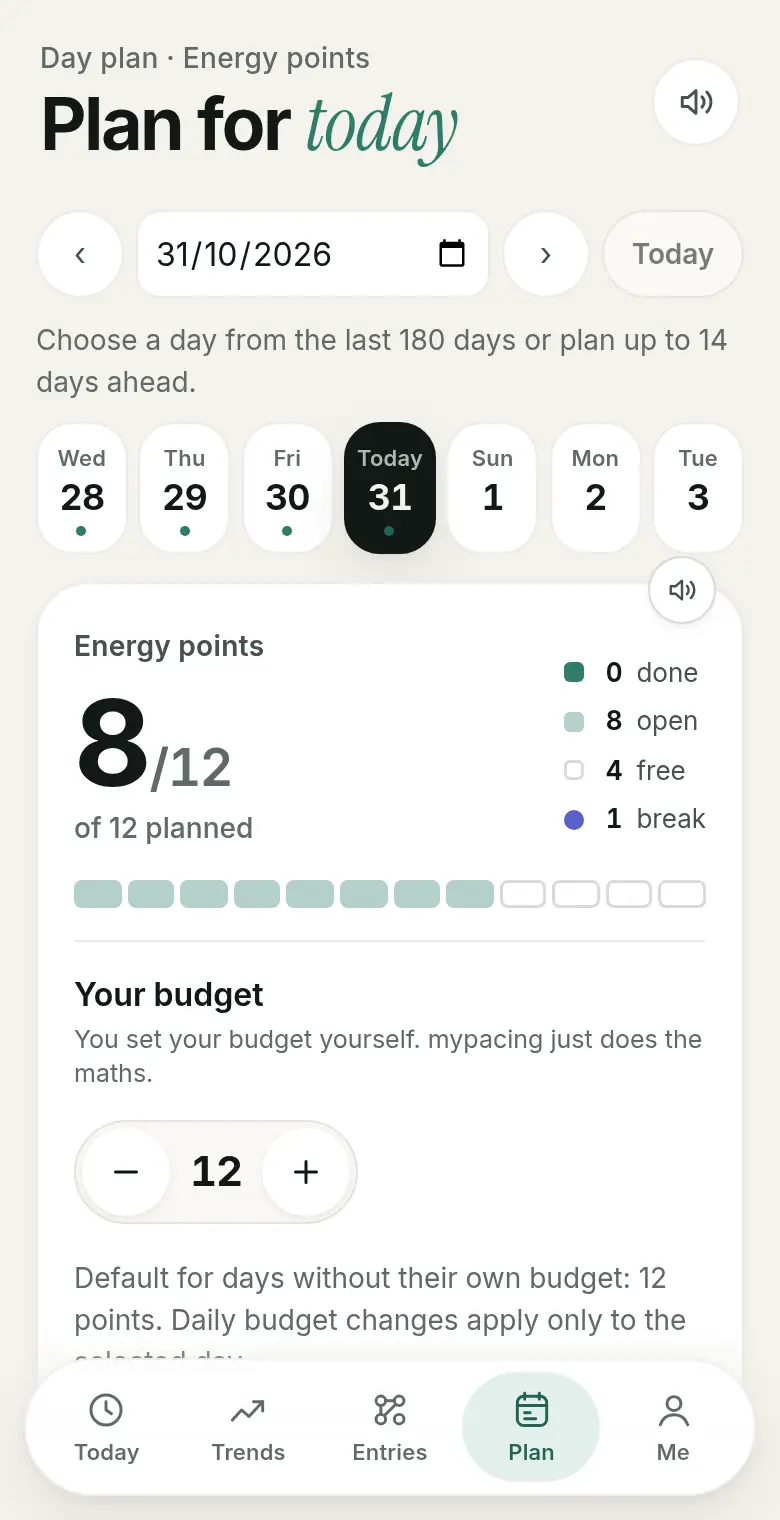
Pacing also means planning ahead. A daily budget, points for activities and fixed breaks help.
In the mypacing day plan you give activities energy points and set your own budget; plans can be saved as templates or added as a calendar file (.ics). There is also the break rhythm and the rest moment. mypacing does not suggest a budget.
Looking back: patterns over weeks
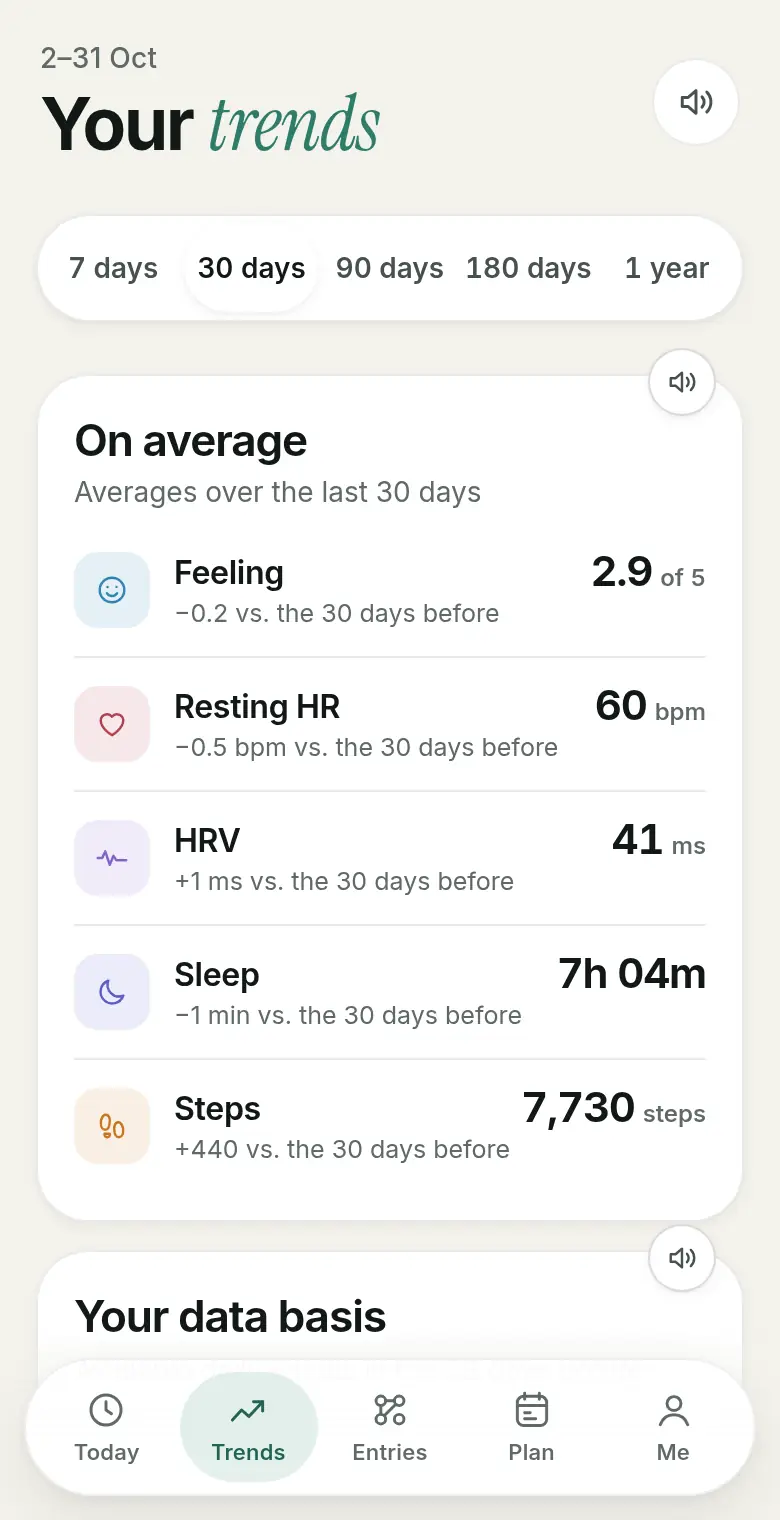
Single days say little. Check whether the app shows weeks and months and what it compares against: fixed reference values or yourself.
mypacing compares resting heart rate, HRV and sleep with your usual range of the last four weeks. History covers 7 days up to one year. With tags you put days with and without a feature side by side; you mark period days yourself.
Export: take your data with you
For a doctor’s appointment or a switch, you should be able to get your data out of the app. Look for readable formats.
mypacing offers a JSON download of all data, a CSV overview for a period you choose and a PDF print view. More in exporting entries.
Cost, language and platforms
Check whether key features sit behind a subscription, whether the app is available in your language and whether it runs on your devices.
mypacing is free and has no ads, in German and English, for iPhone and iPad, Android and as a web app. Light, dark, a calm view and read-aloud adjust the display.
Medical status
A pacing app can help with observing and planning. Check what an app promises: warnings, recommendations or diagnoses are different from a clear display.
mypacing is not a medical device. The app describes your values compared with your usual range but gives no warnings, recommendations or diagnoses. It does not replace medical advice.
Frequently asked questions
What is a pacing app?
An app that helps you spread exertion and recovery: it records how you feel, shows measurements alongside and helps you plan your day. What each app offers varies a lot.
Do I need a smartwatch for a pacing app?
Not necessarily. In mypacing the check-in works without a watch. Values such as resting heart rate, HRV and sleep are added if your watch passes them to Apple Health or Health Connect.
Is mypacing free?
Yes. mypacing is free for iPhone, iPad and Android and can be used as a web app, with no ads.
Where is my data stored?
Values, check-ins and notes are stored encrypted. There are no ads, no sharing with third parties and no third-party tracking in the app. Details are in the privacy policy.
Can I try mypacing first?
Yes. The demo shows the app with made-up values, no account needed. Entries in the demo only last for the current session.
Is a pacing app a medical device?
That depends on the app. mypacing is not a medical device: it makes no diagnoses, gives no treatment recommendations and does not replace medical advice.
Read more
Pacing in daily life
Spread exertion and recovery across the day and week.
Energy points
Plan your day with your own energy budget.
The daily check-in
What the check-in records, with or without a watch.
See mypacing: The demo shows the daily picture, history and day plan with made-up values – no account needed. More on the home page.
mypacing is not a medical device. The app shows your own values and notes over time. It does not make diagnoses, give treatment recommendations or replace medical advice.
The app is free on the App Store for iPhone and iPad and on Google Play for Android.
Publisher: SIGAtech Softwareentwicklung, responsible for content: Siegfried Gaier (legal notice). Last updated on 31 October 2026.