Add tags, compare days.
A tag like “visit”, “trip” or “midday rest” takes a second. Collected over weeks, it lets you look at how days with and without that tag went for you.
Tags in your journal
You choose tags yourself – in the check-in or in the daily note. They capture in one word what shaped a day: “office day”, “visit”, “walk”, “trip”. Under Entries you can search by tag and text and open matching days in the calendar or as a list.
Days with and without a tag
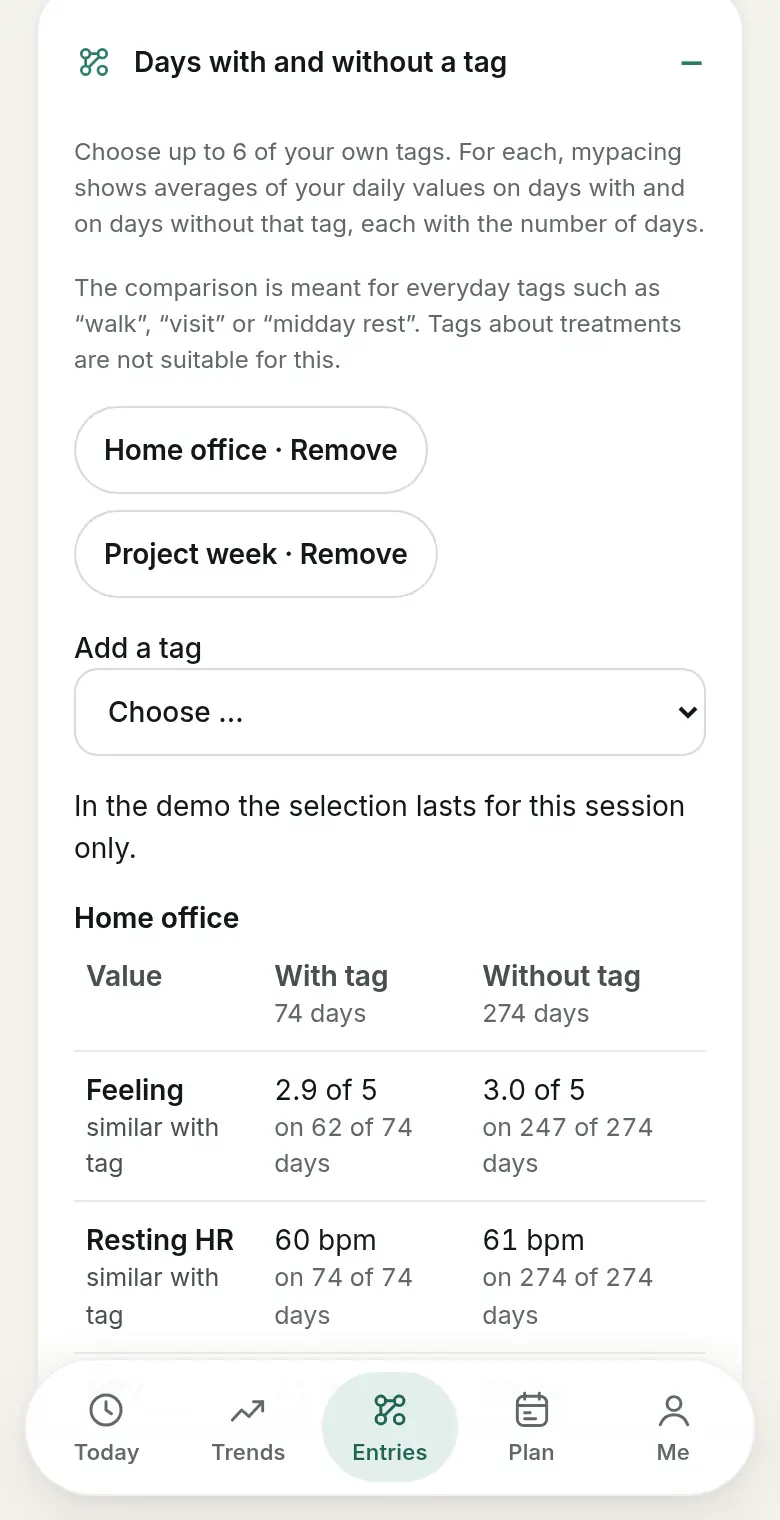
For up to six tags you choose, mypacing shows averages of your daily values on days with and on days without that tag – each with the number of days. In the same way, you can set the wellbeing from your check-in on days with and without a feature side by side.
A direction only appears once there are at least five days with a value on each side. “Similar” means the difference is smaller than the display precision. The comparison is meant for everyday tags; tags about treatments are not suitable for it.
Weekly rhythm
The weekly rhythm shows average wellbeing and steps per weekday, each with the number of days with a value. An average appears from two days. This makes it visible whether, for example, Mondays and weekends differ in your records.
Comparing two periods or two days
In Trends you can compare two periods you choose by their averages and data coverage; missing days are not filled in. Under Entries you can also pick two days and view your own records side by side – without automatic assessment.
Observation, not cause
All these views describe what is in your records. A difference between days with and without a tag does not show that the tag caused it: days differ in many ways at once. Changes of device or method can limit comparisons further. The interpretation stays with you.
If you want to use your selection outside the app, Exporting entries explains CSV and the print view.
Read more
The daily check-in
What the check-in records and how your own answers add to the measured values.
Exporting entries
Entries and values as CSV, as a print view, or your day plan as a calendar file.
Pacing in everyday life
Why looking across several weeks shows more than a single day.
Marking period days
Mark period days yourself and see them in the calendar, in trends and when comparing wellbeing.
See mypacing: The demo shows the daily picture, history and day plan with made-up values – no account needed. More on the home page.
mypacing is not a medical device. The app shows your own values and notes over time. It does not make diagnoses, give treatment recommendations or replace medical advice.
The app is free on the App Store for iPhone and iPad and on Google Play for Android.
Publisher: SIGAtech Softwareentwicklung, responsible for content: Siegfried Gaier (legal notice). Last updated on 31 October 2026.