Mark period days yourself.
Some days feel different around your period. In mypacing you can mark period days yourself and see them next to your wellbeing and values – no calculation and no prediction.
Marking a period day
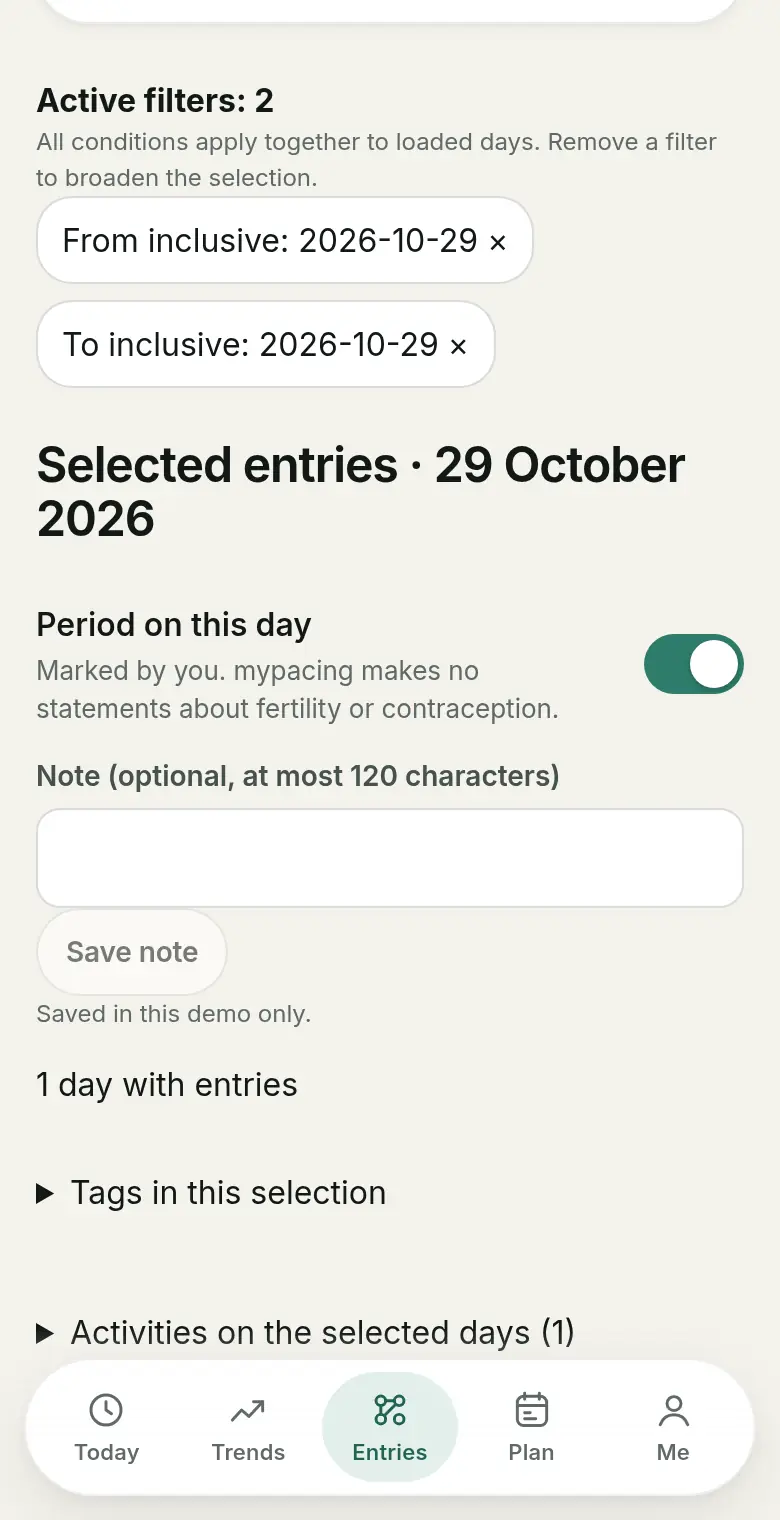
Under Entries you open a day and switch “Period on this day” on or off. You can add a short note of up to 120 characters. You set the mark yourself; mypacing does not read cycle data from Apple Health or Health Connect for this.
The feature is available with an account and in the demo; in the demo it is only saved for that session.
In the calendar and in trends
In the calendar under Entries, marked days show a small circle (○ period day you marked). In Trends, period days appear as a circle next to daily values such as resting heart rate, sleep or wellbeing. They are only placed alongside: mypacing calculates nothing from them.
Wellbeing on days with and without your period
In “Wellbeing on days with and without a feature” you can choose the self-marked period day as a feature. mypacing then shows the average wellbeing from your check-in on days with and without the mark, each with the number of days. A direction only appears from five days with a value on each side.
This is an observation in your own records, not a cause. More about these comparisons in Tags and comparing days.
What happens with the information
The note on a period day is stored encrypted in your account. If you have agreed to internal quality control, only “period day yes” with its date is included pseudonymously, never the note. If you remove the mark, it is removed there too. Period days are included in your account data download and are deleted with your account. Details are in the privacy policy.
What the feature does not do
mypacing makes no statements about fertility or contraception, does not calculate cycle length and does not predict your next period. The mark is a personal note for looking back. For cycle-related complaints, a doctor is the right person to ask.

Read more
Tags and comparing days
Compare days with and without one of your own tags.
The daily check-in
What the check-in records and how your own answers add to the measured values.
Exporting entries
Entries and values as CSV, as a print view, or your day plan as a calendar file.
See mypacing: The demo shows the daily picture, history and day plan with made-up values – no account needed. More on the home page.
mypacing is not a medical device. The app shows your own values and notes over time. It does not make diagnoses, give treatment recommendations or replace medical advice.
The app is free on the App Store for iPhone and iPad and on Google Play for Android.
Publisher: SIGAtech Softwareentwicklung, responsible for content: Siegfried Gaier (legal notice). Last updated on 31 October 2026.