Set your own pulse mark.
Many people use a heart rate value of their own as a guide in everyday life. The pulse mark shows in how many hours of a day your pulse went above it – no preset value and no alarm.
What the pulse mark is
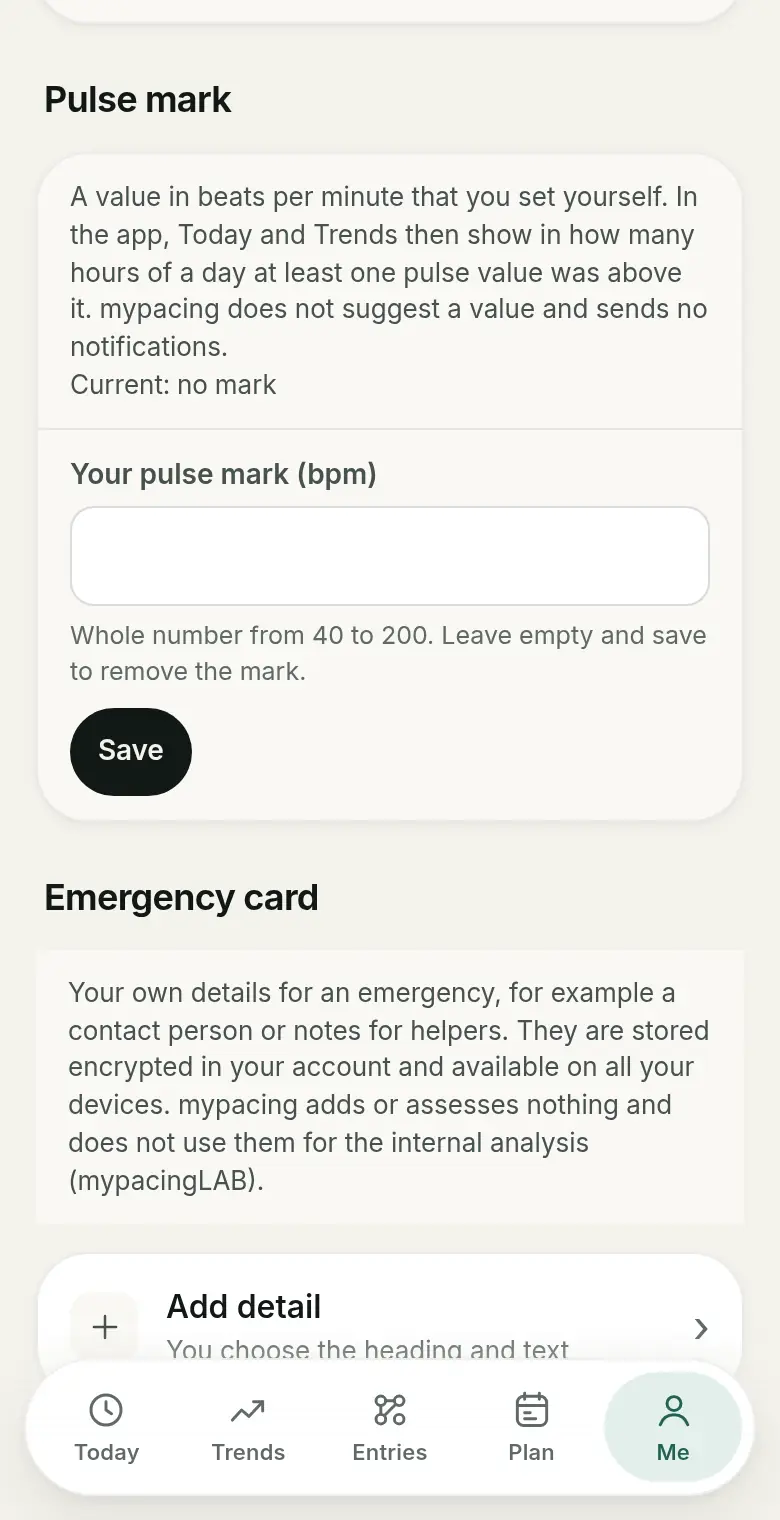
The pulse mark is a value in beats per minute that you set yourself. mypacing does not suggest a value and does not calculate one from age, resting heart rate or other formulas. You enter a whole number, can change it at any time and remove it again.
Once a mark is saved, Today and Trends show in how many hours of a day at least one pulse value was above your mark.
How it is counted
mypacing counts hours, not minutes. It uses the hourly maximum heart rate values from Apple Health or Health Connect. If at least one value in an hour was above your mark, that hour counts. The display then reads, for example: “Today: 3 of 14 hours with pulse values had at least one value above 110 bpm.”
The second number matters: it says how many hours had pulse values at all. If the watch did not measure at night or was lying on the bedside table, those hours are missing – they are not filled in.
Setting the pulse mark
You set the pulse mark in the app under “Me”: enter a value in beats per minute and save. Saving an empty field removes the mark. The iPhone or Android app reads the hourly pulse values on the device; mypacing needs permission to read heart rate in Apple Health or Health Connect.
No individual pulse values are transferred to mypacing for the pulse mark. If you like, you can hide it together with the daily picture and daily form under “Me” until a date you choose.
What the number shows – and what it does not
The pulse mark is a counting aid for looking back. It does not show exactly how long your pulse was raised, and it does not judge whether a value is healthy, too high or too low. mypacing does not send a notification when the mark is exceeded.
How good the numbers are depends on the watch: fit on the wrist, measurement intervals and movement all affect heart rate readings. More in Understanding readings from watches. Which value makes sense as a guide for you is best discussed with a doctor.
The pulse mark in your history
In Trends, the number of hours above the mark sits next to resting heart rate, HRV, sleep and your check-ins. You can look for yourself at how days with many hours above your mark differed from others – for example together with your entries in the day plan.
Read more
Resting heart rate over time
What resting heart rate is, why it varies from day to day, and what your usual range shows.
Understanding readings from watches
Why fit, device and data source change the numbers.
Tags and comparing days
Compare days with and without one of your own tags.
See mypacing: The demo shows the daily picture, history and day plan with made-up values – no account needed. More on the home page.
mypacing is not a medical device. The app shows your own values and notes over time. It does not make diagnoses, give treatment recommendations or replace medical advice.
The app is free on the App Store for iPhone and iPad and on Google Play for Android.
Publisher: SIGAtech Softwareentwicklung, responsible for content: Siegfried Gaier (legal notice). Last updated on 31 October 2026.